
Testing PixiJS Games with Playwright
How to reach inside a canvas-rendered game, access PixiJS components programmatically, and run real automation tests — end to end.
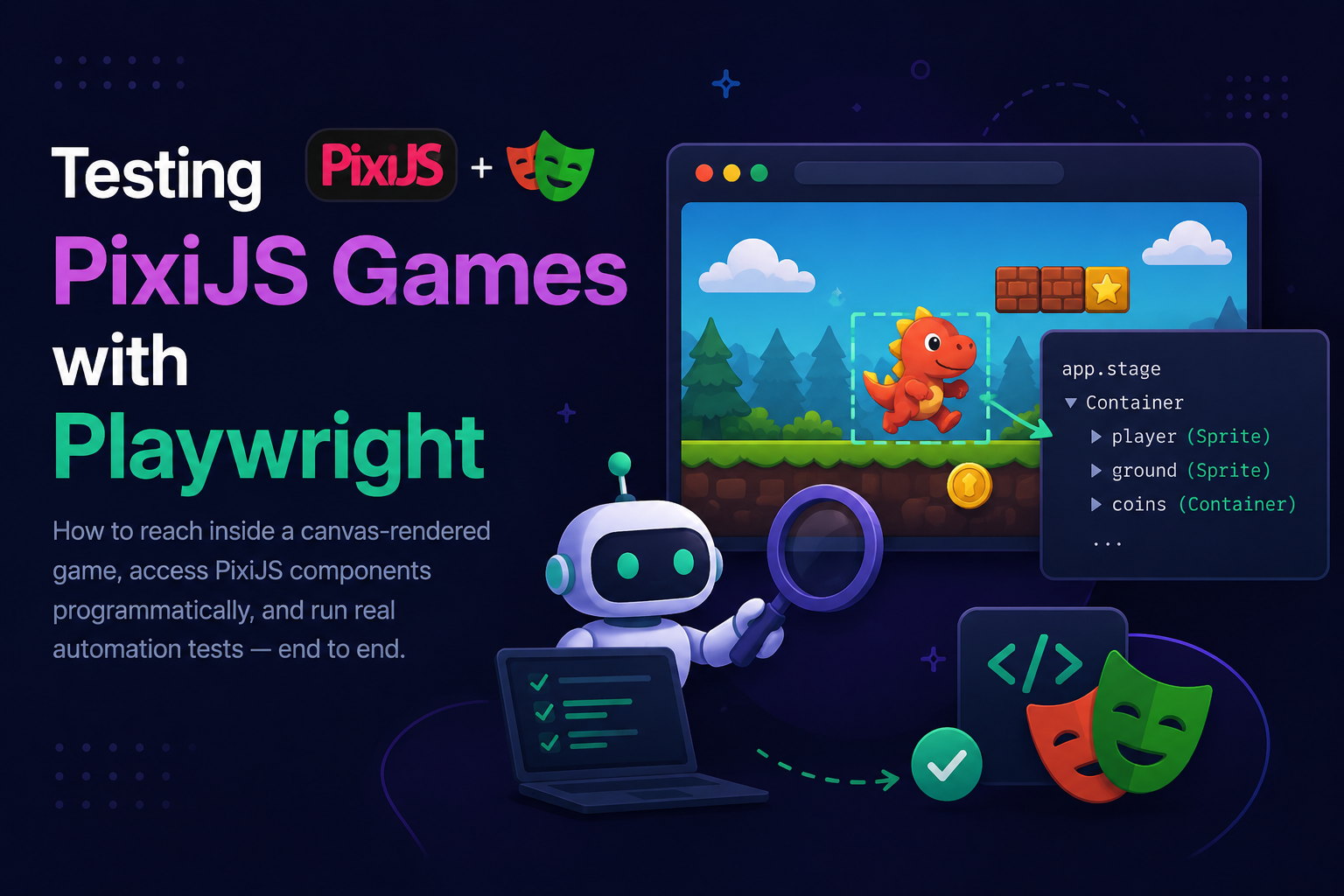
Canvas games are invisible to standard test tools. This article shows you exactly how to bridge that gap using a custom GameBridge, `page.evaluate()`, and labelled PixiJS sprites — with a complete slot game test suite you can drop in today.
---
## 01 — Why Canvas Testing Is Hard
Standard web automation tools — Selenium, Playwright, Cypress — work by querying the DOM. They find a button with `page.click('button#spin')` and fire a click on that element. This works perfectly for React apps, dashboards, and admin panels.
PixiJS games render everything onto a single `<canvas>` element. From the DOM's perspective there is exactly **one element** — the canvas. There are no buttons, no sprites, no UI labels in the DOM. The entire visual tree lives inside PixiJS's scene graph, completely invisible to standard selectors.
| What Playwright Can See | What Playwright Cannot See |
|---|---|
| `<canvas id="pixi-app">` | Sprite named "spinButton" |
| Canvas bounding box | Text node "Balance: $1,000" |
| Mouse coordinates on canvas | Reel containers reel_0 … reel_4 |
| Keyboard events | Win banner visibility |
| Page load / network events | PixiJS animation state |
> ⚠️ **The core challenge:** Playwright lives in Node.js. Your PixiJS game runs in the browser. They can't share objects directly. The bridge between them is `page.evaluate()` — it runs arbitrary JavaScript inside the browser and returns serialisable results back to Node.
---
## 02 — The Architecture: PixiJS–Playwright Bridge
The strategy has two sides. The **game side** exposes a controlled API on `window`. The **test side** calls that API via `page.evaluate()`. This keeps tests clean and decoupled from game internals.
```
┌─────────────────────────┐ ┌─────────────────────────┐
│ Node.js / Playwright │ │ Browser / PixiJS Game │
│ │ │ │
│ test('spin', async()=> │ ──────► │ window.__GAME_BRIDGE__ │
│ page.evaluate(() => │ JSON │ = new GameBridge(app) │
│ window.__GAME_ │ ◄────── │ │
│ BRIDGE__.getState()│ │ window.__PIXI_APP__ │
│ ) │ │ = pixiApp │
│ ) │ │ │
└─────────────────────────┘ └─────────────────────────┘
Node.js page.evaluate() Browser
```
> 💡 **Key rule:** `page.evaluate()` can only return JSON-serialisable values. You cannot return PixiJS objects — they contain circular references and WebGL textures. Always extract plain data (`{ x, y, visible, text }`) before returning.
---
## 03 — Game Side: Exposing the Stage
The first step happens in your game code. Attach the PixiJS application and a testing API to `window` — but only in non-production so this never ships to real players.
### Install dependencies
```bash
npm install pixi.js@8
npm install -D playwright @playwright/test typescript @types/node
npx playwright install chromium
```
### Bootstrap with Test Bridge
```typescript
// src/main.ts
import { Application } from 'pixi.js';
import { GameBridge } from './testing/GameBridge';
declare global {
interface Window {
__PIXI_APP__: Application;
__GAME_BRIDGE__: GameBridge;
}
}
async function bootstrap() {
const app = new Application();
await app.init({
width: 1280,
height: 720,
backgroundColor: 0x1a1a2e,
resolution: window.devicePixelRatio || 1,
autoDensity: true,
});
document.body.appendChild(app.canvas);
const gameScene = await loadGameScene(app);
app.stage.addChild(gameScene);
// Only expose in non-production builds
if (import.meta.env.MODE !== 'production') {
window.__PIXI_APP__ = app;
window.__GAME_BRIDGE__ = new GameBridge(app);
console.log('[TEST] Game bridge attached to window.__GAME_BRIDGE__');
}
}
bootstrap();
```
### The GameBridge Class
```typescript
// src/testing/GameBridge.ts
import { Application, Container, Text } from 'pixi.js';
export interface SpriteInfo {
label: string;
x: number;
y: number;
width: number;
height: number;
visible: boolean;
alpha: number;
children: number;
}
export class GameBridge {
constructor(private app: Application) {}
/** Walk the PixiJS scene graph and find a child by its label */
findByLabel(label: string, root?: Container): Container | null {
const node = root ?? this.app.stage;
if ((node as any).label === label) return node;
for (const child of node.children) {
const found = this.findByLabel(label, child as Container);
if (found) return found;
}
return null;
}
/** Find all children whose label starts with a prefix */
findAllByPrefix(prefix: string, root?: Container): Container[] {
const results: Container[] = [];
const walk = (node: Container) => {
if ((node as any).label?.startsWith(prefix)) results.push(node);
node.children.forEach(c => walk(c as Container));
};
walk(root ?? this.app.stage);
return results;
}
/** Return serialisable info — safe to pass across page.evaluate() */
getSpriteInfo(label: string): SpriteInfo | null {
const node = this.findByLabel(label);
if (!node) return null;
return {
label: (node as any).label,
x: node.x,
y: node.y,
width: node.width,
height: node.height,
visible: node.visible,
alpha: node.alpha,
children: node.children.length,
};
}
/** Fire a PixiJS pointer event on a named component */
triggerEvent(label: string, event: string): boolean {
const node = this.findByLabel(label);
if (!node) return false;
(node as any).emit(event);
return true;
}
/** Read the text value of a PixiJS Text node */
getTextContent(label: string): string | null {
const node = this.findByLabel(label) as Text | null;
return node?.text ?? null;
}
/** Get current game state — implement this in your game */
getGameState(): string {
return (window as any).__GAME_STATE__ ?? 'idle';
}
/** Get current player balance */
getBalance(): number {
return (window as any).__GAME_STATE_BALANCE__ ?? 0;
}
/** Force a win result for deterministic testing */
forceWin(opts: { multiplier: number }): void {
(window as any).__FORCE_WIN__ = opts;
}
/** Dump the full scene graph as text (for debugging failed tests) */
dumpSceneGraph(root?: Container, depth = 0): string {
const node = root ?? this.app.stage;
const label = (node as any).label ?? node.constructor.name;
const pad = ' '.repeat(depth);
let out = `${pad}└ ${label} (${node.x.toFixed(0)},${node.y.toFixed(0)})\n`;
node.children.forEach(c => {
out += this.dumpSceneGraph(c as Container, depth + 1);
});
return out;
}
}
```
> 💡 **Always label your PixiJS objects.** Set `sprite.label = 'spinButton'` on every interactive component. The label is your CSS selector equivalent — it's how tests find components without hardcoding pixel coordinates.
---
## 04 — Label Your Components in Game Code
Before writing a single test, make sure every component that needs to be tested has a `.label` assigned. Here's how a slot game scene should look:
```typescript
// src/scenes/SlotScene.ts
import { Container, Sprite, Text } from 'pixi.js';
export class SlotScene extends Container {
constructor() {
super();
this.label = 'SlotScene';
this.buildUI();
}
private buildUI() {
// ── 5 Reels ────────────────────────────────────
for (let i = 0; i < 5; i++) {
const reel = new Container();
reel.label = `reel_${i}`; // ← labelled: findAllByPrefix('reel_')
reel.x = 200 + i * 160;
reel.y = 150;
this.addChild(reel);
}
// ── Spin Button ────────────────────────────────
const spinBtn = new Sprite();
spinBtn.label = 'spinButton'; // ← labelled
spinBtn.x = 580;
spinBtn.y = 580;
spinBtn.interactive = true;
spinBtn.cursor = 'pointer';
spinBtn.on('pointerdown', () => this.onSpin());
this.addChild(spinBtn);
// ── Balance Text ───────────────────────────────
const balanceText = new Text({ text: 'Balance: $1,000.00' });
balanceText.label = 'balanceDisplay'; // ← labelled
balanceText.x = 50;
balanceText.y = 650;
this.addChild(balanceText);
// ── Win Banner (hidden until win) ──────────────
const winBanner = new Container();
winBanner.label = 'winBanner'; // ← labelled
winBanner.visible = false;
this.addChild(winBanner);
// ── Loading Overlay ────────────────────────────
const loader = new Container();
loader.label = 'loadingOverlay'; // ← labelled
this.addChild(loader);
}
}
```
---
## 05 — Test Side: The PixiPage Helper
Now that the bridge is in place, wrap Playwright's `Page` with game-aware methods so your test files stay clean and readable.
```typescript
// tests/helpers/PixiPage.ts
import { Page } from '@playwright/test';
import type { SpriteInfo } from '../../src/testing/GameBridge';
export class PixiPage {
constructor(private page: Page) {}
/** Wait for PixiJS app and bridge to be fully ready */
async waitForGame(): Promise<void> {
await this.page.waitForFunction(() =>
typeof window.__GAME_BRIDGE__ !== 'undefined' &&
window.__PIXI_APP__?.stage !== undefined
, { timeout: 10_000 });
}
/** Find a sprite by label — returns serialisable info */
async findSprite(label: string): Promise<SpriteInfo | null> {
return this.page.evaluate((lbl) =>
window.__GAME_BRIDGE__.getSpriteInfo(lbl)
, label);
}
/** Assert a sprite exists — throws if not found */
async expectSprite(label: string): Promise<SpriteInfo> {
const info = await this.findSprite(label);
if (!info) throw new Error(`Sprite '${label}' not found in scene graph`);
return info;
}
/** Read a PixiJS Text node's content */
async getTextContent(label: string): Promise<string | null> {
return this.page.evaluate((lbl) =>
window.__GAME_BRIDGE__.getTextContent(lbl)
, label);
}
/** Fire a PixiJS event on a named sprite */
async triggerEvent(label: string, event: string): Promise<boolean> {
return this.page.evaluate(({ lbl, evt }) =>
window.__GAME_BRIDGE__.triggerEvent(lbl, evt)
, { lbl: label, evt: event });
}
/** Click a sprite by computing its canvas coordinates */
async clickSprite(label: string): Promise<void> {
const info = await this.expectSprite(label);
const canvas = this.page.locator('canvas');
const box = await canvas.boundingBox();
if (!box) throw new Error('Canvas element not found');
// Convert PixiJS scene coords → viewport coords
const scaleX = box.width / 1280;
const scaleY = box.height / 720;
const clickX = box.x + (info.x + info.width / 2) * scaleX;
const clickY = box.y + (info.y + info.height / 2) * scaleY;
await this.page.mouse.click(clickX, clickY);
}
/** Wait until a sprite becomes visible */
async waitForSprite(label: string, timeout = 5000): Promise<void> {
await this.page.waitForFunction((lbl) => {
const info = window.__GAME_BRIDGE__?.getSpriteInfo(lbl);
return info?.visible === true;
}, label, { timeout });
}
/** Dump full scene graph — add to failing tests for debugging */
async dumpSceneGraph(): Promise<string> {
return this.page.evaluate(() =>
window.__GAME_BRIDGE__.dumpSceneGraph()
);
}
}
```
---
## 06 — Waiting for Animations
Games have animations. Tests must wait for them before asserting. Never assert immediately after triggering a spin.
```typescript
// tests/helpers/waitForAnimation.ts
import { Page } from '@playwright/test';
/** Wait for the game to return to idle state */
export async function waitForIdle(
page: Page,
timeout = 15_000
): Promise<void> {
await page.waitForFunction(() =>
window.__GAME_BRIDGE__?.getGameState() === 'idle'
, { timeout });
}
/** Wait until a Text node shows an expected value */
export async function waitForText(
page: Page,
label: string,
expectedText: string,
timeout = 5_000
): Promise<void> {
await page.waitForFunction(
({ lbl, txt }) =>
window.__GAME_BRIDGE__?.getTextContent(lbl) === txt,
{ lbl: label, txt: expectedText },
{ timeout }
);
}
/** Wait until a sprite property reaches a specific value */
export async function waitForSpriteProperty(
page: Page,
label: string,
property: string,
expected: unknown,
timeout = 5_000
): Promise<void> {
await page.waitForFunction(
({ lbl, prop, val }) => {
const node = window.__GAME_BRIDGE__?.findByLabel(lbl);
return (node as any)?.[prop] === val;
},
{ lbl: label, prop: property, val: expected },
{ timeout, polling: 100 }
);
}
```
---
## 07 — Interaction Methods: Which to Use
| Method | How | Tests | Use When |
|---|---|---|---|
| Mouse click on canvas | `page.mouse.click(x, y)` | Full stack | Testing real pointer input pipeline |
| PixiJS event emit | `bridge.triggerEvent(label, 'pointerdown')` | Logic only | No coordinate math needed |
| Direct state mutation | `page.evaluate(() => gameState.balance = 999)` | State setup | Edge-case test setup |
| Keyboard event | `page.keyboard.press('Space')` | Full stack | Shortcuts, accessibility |
> ⚠️ Prefer `triggerEvent()` for unit-style tests and `clickSprite()` for integration tests that need to verify the full pointer event pipeline including hit testing.
---
## 08 — Full Slot Game Test Suite
Here is a complete real-world test file for a PixiJS slot game. It covers load verification, spin flow, animation waiting, and win condition testing.
```typescript
// tests/slot-game.spec.ts
import { test, expect } from '@playwright/test';
import { PixiPage } from './helpers/PixiPage';
import { waitForIdle } from './helpers/waitForAnimation';
test.describe('Slot Game — What The Fish', () => {
test.beforeEach(async ({ page }) => {
await page.goto('http://localhost:5173');
const pixi = new PixiPage(page);
await pixi.waitForGame();
});
// ── Initial Load ─────────────────────────────────────────────
test('renders the canvas element', async ({ page }) => {
await expect(page.locator('canvas')).toBeVisible();
});
test('spin button is visible', async ({ page }) => {
const pixi = new PixiPage(page);
const spin = await pixi.expectSprite('spinButton');
expect(spin.visible).toBe(true);
expect(spin.alpha).toBeGreaterThan(0);
});
test('all 5 reels are present in the scene graph', async ({ page }) => {
const reels = await page.evaluate(() =>
window.__GAME_BRIDGE__
.findAllByPrefix('reel_')
.map(r => ({ label: (r as any).label, x: r.x }))
);
expect(reels).toHaveLength(5);
expect(reels.map(r => r.label)).toEqual([
'reel_0', 'reel_1', 'reel_2', 'reel_3', 'reel_4'
]);
});
test('loading overlay disappears after assets load', async ({ page }) => {
const pixi = new PixiPage(page);
await pixi.waitForSprite('loadingOverlay');
// Actually wait for it to become hidden
await page.waitForFunction(() =>
window.__GAME_BRIDGE__.getSpriteInfo('loadingOverlay')?.visible === false
, { timeout: 10_000 });
const overlay = await pixi.findSprite('loadingOverlay');
expect(overlay?.visible).toBe(false);
});
// ── Spin Flow ────────────────────────────────────────────────
test('spin button triggers reels to spin', async ({ page }) => {
const pixi = new PixiPage(page);
await pixi.triggerEvent('spinButton', 'pointerdown');
const state = await page.evaluate(() =>
window.__GAME_BRIDGE__.getGameState()
);
expect(state).toBe('spinning');
});
test('spin completes and returns to idle state', async ({ page }) => {
const pixi = new PixiPage(page);
await pixi.triggerEvent('spinButton', 'pointerdown');
await waitForIdle(page, 15_000);
const finalState = await page.evaluate(() =>
window.__GAME_BRIDGE__.getGameState()
);
expect(finalState).toBe('idle');
});
test('balance changes after spin completes', async ({ page }) => {
const pixi = new PixiPage(page);
const before = await page.evaluate(() =>
window.__GAME_BRIDGE__.getBalance()
);
await pixi.triggerEvent('spinButton', 'pointerdown');
await waitForIdle(page);
const after = await page.evaluate(() =>
window.__GAME_BRIDGE__.getBalance()
);
expect(after).not.toBe(before);
});
test('spin button is disabled while spinning', async ({ page }) => {
const pixi = new PixiPage(page);
await pixi.triggerEvent('spinButton', 'pointerdown');
const btnAlpha = await page.evaluate(() => {
const node = window.__GAME_BRIDGE__.findByLabel('spinButton');
return (node as any)?.alpha;
});
expect(btnAlpha).toBeLessThan(1); // dimmed = disabled
});
// ── Win Condition ────────────────────────────────────────────
test('win banner appears after a winning spin', async ({ page }) => {
const pixi = new PixiPage(page);
// Force a win so test is deterministic — not relying on RNG
await page.evaluate(() =>
window.__GAME_BRIDGE__.forceWin({ multiplier: 5 })
);
await pixi.triggerEvent('spinButton', 'pointerdown');
await waitForIdle(page);
const banner = await pixi.findSprite('winBanner');
expect(banner?.visible).toBe(true);
});
test('balance display updates with win amount', async ({ page }) => {
const pixi = new PixiPage(page);
await page.evaluate(() =>
window.__GAME_BRIDGE__.forceWin({ multiplier: 10 })
);
await pixi.triggerEvent('spinButton', 'pointerdown');
await waitForIdle(page);
const balanceText = await pixi.getTextContent('balanceDisplay');
expect(balanceText).toContain('Balance:');
expect(balanceText).not.toBe('Balance: $1,000.00'); // must have changed
});
});
```
---
## 09 — Visual Snapshot Testing
Playwright can screenshot the canvas and compare it to a baseline on every run. This catches visual regressions that no assertion can.
```typescript
// tests/visual.spec.ts
import { test, expect } from '@playwright/test';
test('game renders correctly at idle state', async ({ page }) => {
await page.goto('http://localhost:5173');
await page.waitForFunction(() =>
window.__GAME_BRIDGE__?.getGameState() === 'idle'
);
await expect(page.locator('canvas')).toHaveScreenshot('game-idle.png', {
threshold: 0.05, // 5% pixel difference allowed
maxDiffPixels: 500
});
});
test('win banner visual appearance', async ({ page }) => {
await page.goto('http://localhost:5173');
await page.waitForFunction(() => window.__GAME_BRIDGE__ !== undefined);
await page.evaluate(() => {
window.__GAME_BRIDGE__.forceWin({ multiplier: 5 });
window.__GAME_BRIDGE__.triggerEvent('spinButton', 'pointerdown');
});
await page.waitForFunction(() =>
window.__GAME_BRIDGE__.getSpriteInfo('winBanner')?.visible === true
);
await expect(page.locator('canvas')).toHaveScreenshot('game-win.png', {
threshold: 0.05
});
});
```
---
## 10 — Playwright Config & CI Setup
```typescript
// playwright.config.ts
import { defineConfig, devices } from '@playwright/test';
export default defineConfig({
testDir: './tests',
fullyParallel: true,
retries: process.env.CI ? 2 : 0,
workers: process.env.CI ? 1 : undefined,
reporter: [['html'], ['junit', { outputFile: 'results.xml' }]],
use: {
baseURL: 'http://localhost:5173',
headless: true,
screenshot: 'only-on-failure',
video: 'on-first-retry',
trace: 'on-first-retry',
viewport: { width: 1280, height: 720 },
},
projects: [
{ name: 'chromium', use: { ...devices['Desktop Chrome'] } },
{ name: 'firefox', use: { ...devices['Desktop Firefox'] } },
],
webServer: {
command: 'npm run dev',
url: 'http://localhost:5173',
timeout: 60_000,
reuseExistingServer: !process.env.CI,
},
});
```
```yaml
# .github/workflows/game-tests.yml
name: PixiJS Game Tests
on:
push:
branches: [main, develop]
pull_request:
branches: [main]
jobs:
test:
runs-on: ubuntu-latest
steps:
- uses: actions/checkout@v4
- name: Setup Node.js
uses: actions/setup-node@v4
with:
node-version: '20'
cache: 'npm'
- name: Install dependencies
run: npm ci
- name: Install Playwright browsers
run: npx playwright install --with-deps chromium
- name: Build game
run: npm run build
- name: Run tests
run: npx playwright test
env:
CI: true
- name: Upload report
uses: actions/upload-artifact@v4
if: always()
with:
name: playwright-report
path: playwright-report/
retention-days: 30
- name: Upload screenshots on failure
uses: actions/upload-artifact@v4
if: failure()
with:
name: test-screenshots
path: test-results/
```
---
## 11 — Common Pitfalls & Fixes
| Pitfall | Symptom | Fix |
|---|---|---|
| Returning PixiJS object from evaluate | Circular reference error | Extract plain values: `{ x, y, visible }` |
| Clicking before game loads | Nothing happens | Call `waitForGame()` before any interaction |
| Asserting mid-animation | Wrong state seen | Use `waitForIdle()` before asserting result |
| No labels on sprites | `findByLabel()` returns null | Set `sprite.label = 'name'` in game code |
| Wrong canvas coordinates | Click fires in wrong place | Account for `boundingBox()` offset + scale ratio |
| Bridge in production | Security / cheating risk | Gate with `import.meta.env.MODE !== 'production'` |
| Random outcomes in tests | Flaky win/lose tests | Use `forceWin()` / `forceLose()` test hooks |
---
## Assertion Quick Reference
| What to check | Code |
|---|---|
| Sprite exists | `await pixi.expectSprite('spinButton')` |
| Sprite is visible | `expect(sprite.visible).toBe(true)` |
| Sprite alpha (enabled) | `expect(sprite.alpha).toBeGreaterThan(0.5)` |
| Text content | `expect(await pixi.getTextContent('balanceDisplay')).toContain('$')` |
| Game state | `expect(await page.evaluate(() => window.__GAME_BRIDGE__.getGameState())).toBe('idle')` |
| Reel count | `expect(reels).toHaveLength(5)` |
| Visual snapshot | `await expect(page.locator('canvas')).toHaveScreenshot('name.png')` |
| Canvas rendered | `await expect(page.locator('canvas')).toBeVisible()` |
---
> 💡 **Debug tip:** When a test fails and you can't figure out why, add this line to your test: `console.log(await pixi.dumpSceneGraph())`. It prints the full PixiJS scene tree with labels and coordinates — the equivalent of browser DevTools "Inspect Element" for canvas games.
---
*Playwright · PixiJS v8 · TypeScript 5 · Node 20+ · June 2026*
Promote this post
Share & amplify
LinkedIn post generator
Generate a polished, professional LinkedIn post from this article. Edit before posting.
Comments (0)