
Distributed Cache
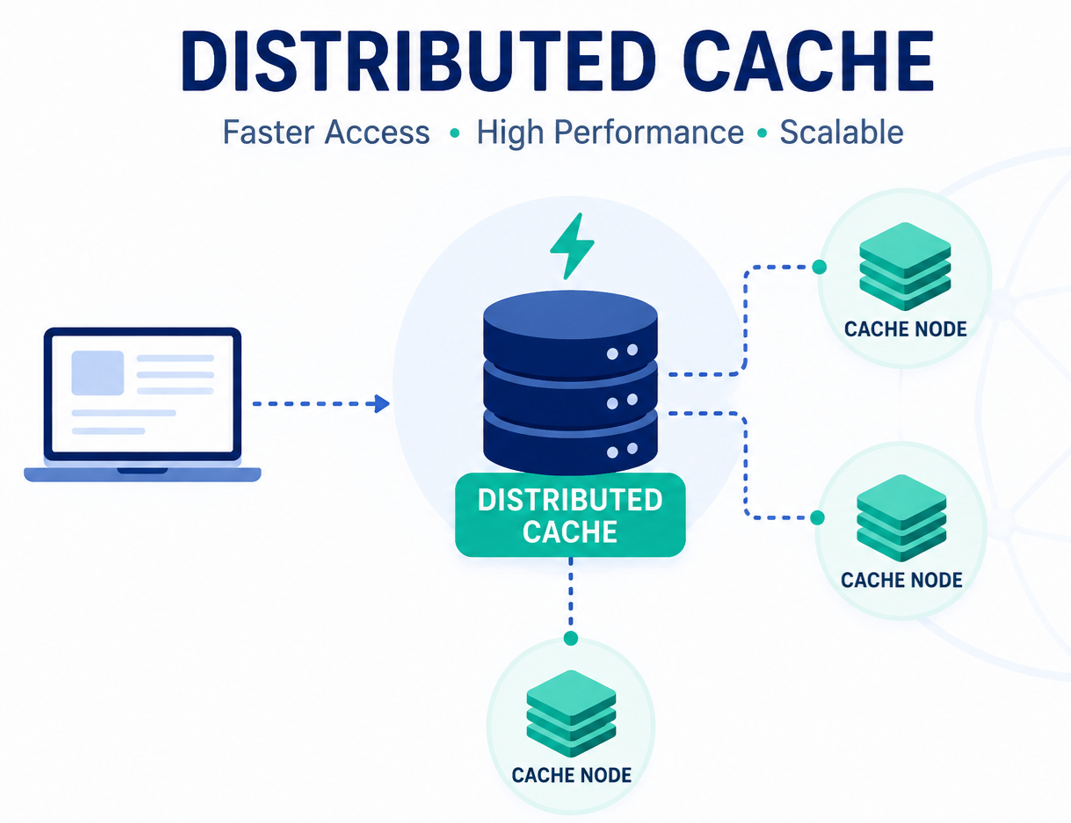
A distributed cache is a system that pools together the random-access memory (RAM) of multiple networked computers into a single in-memory data store used as a data cache to provide fast access to data. While most caches are traditionally in one physical server or hardware component, a distributed cache can grow beyond the memory limits of a single computer by linking together multiple computers
A Cache is like short-term memory. It is typically faster than the origin data source. You know Accessing data from RAM is always faster than accessing it from the hard drive.
Cache Invalidation
It does require some maintenance for keeping cache coherent with the source of truth (e.g., database). If any data is modified in the database, it should be invalidated or modified in the cache also; if it is not so, this can cause inconsistent application behaviour.
A cache can be invalidated in the following ways.
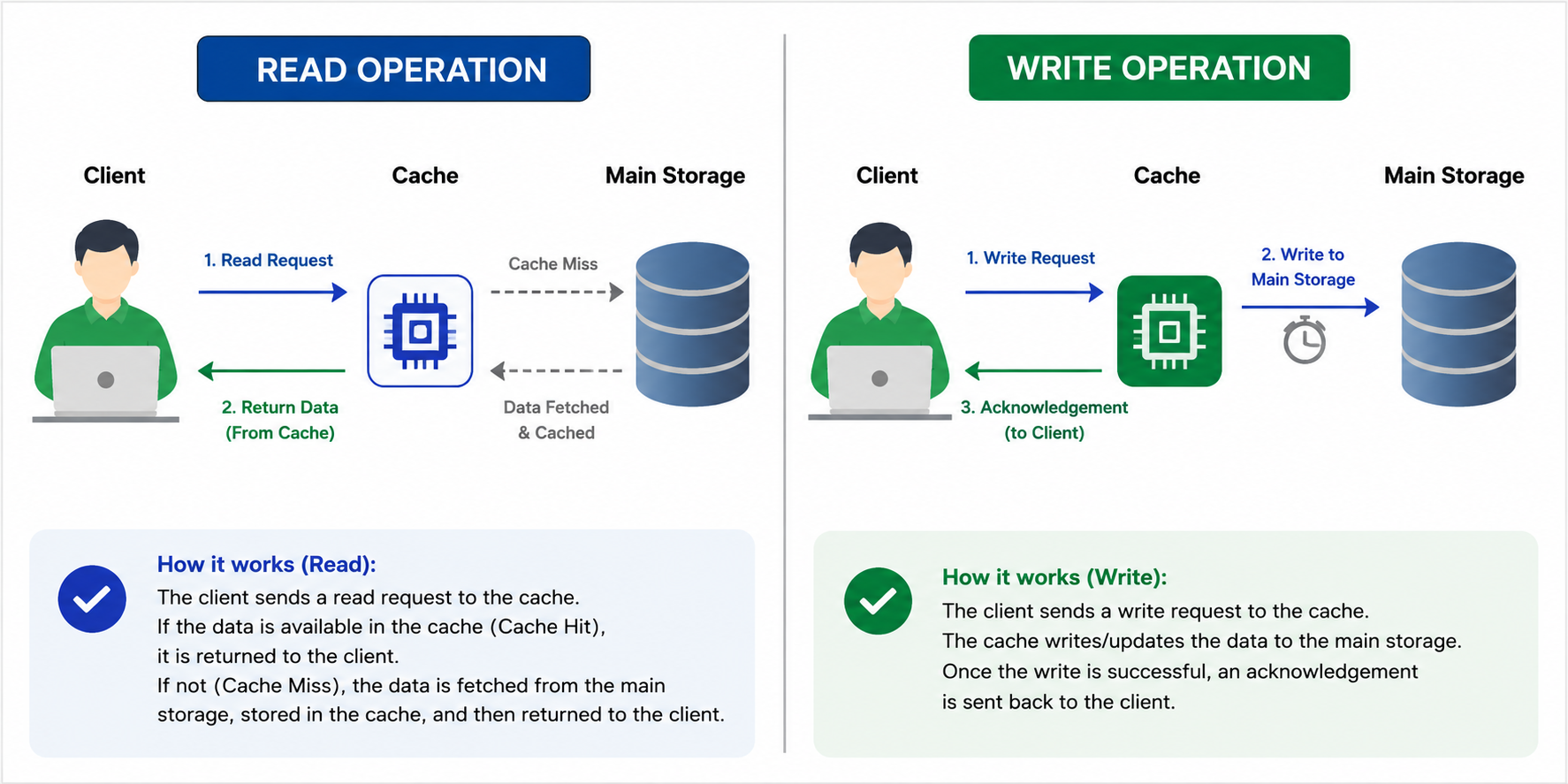
Read-Through → The data is written into the cache and the corresponding database at the same time. This scheme maintains the complete data consistency between the cache and the main storage. Even this scheme also ensures that nothing will get lost in case of a crash, power failure, or any other system disruptions.

→ The disadvantage of this scheme is the Higher Latency, since every write operation is done twice before returning success to the client😔
Write-Through → In this strategy, every information directly written to the database just bypassing the cache.

→ The disadvantage of this scheme is the Higher Latency if in case of a read request for recently written data will create a “cache miss”😯 and then the read request must be made on back-end storage.
Write-Back → The data is written to cache only and completion is immediately confirmed to the client. The write to the permanent storage is done after specified intervals or under certain conditions. This results in low latency and high throughput for write-intensive applications.
Cache Eviction Policies
What if our Cache is full? So, A cache eviction algorithm is a way of deciding which element to evict when the cache is full. The following are some of the most common cache eviction policies:
1. First In First Out (FIFO): The cache evicts the first block accessed first without any regard to how often or how many times it was accessed before.
2. Last In First Out (LIFO): The cache evicts the block accessed most recently first without any regard to how often or how many times it was accessed before.
3. Least Recently Used (LRU): Discards the least recently used items first.
I mostly prefer to LRU only. 🙂
4. Most Recently Used (MRU): Discards, in contrast to LRU, the most recently used items first.
5. Least Frequently Used (LFU): Counts how often an item is needed. Those that are used least often are discarded first.
The popular distributed caches used in the industry are Eh-cache, Memcache, Redis, Riak, Hazelcast.
Redis
REmote DIctionary Server
Redis is an open source, advanced key-value store and an apt solution for building high performance, scalable web applications
SET and GET Operations:
redis 127.0.0.1:6379> SET name "goodlookretail"
OK
redis 127.0.0.1:6379> GET name
"goodlookretail"
Key value pair: name is key value is tutorialspoint
Note − A string value can be at max 512 megabytes in length.
To run commands on Redis remote server, you need to connect to the server by the same client redis-cli
Syntax
$ redis-cli -h host -p port -a password
Using java:
· You need to include the jedis.jar into your classpath.
· import redis.clients.jedis.Jedis; · · public class RedisJava { · public static void main(String[] args) { · //Connecting to Redis server on localhost · Jedis jedis = new Jedis("localhost"); · System.out.println("Connection to server sucessfully"); · //check whether server is running or not · System.out.println("Server is running: "+jedis.ping()); · } · //Connecting to Redis server on localhost · Jedis jedis = new Jedis("localhost"); · System.out.println("Connection to server sucessfully"); · · //store data in redis list · jedis.lpush("tutorial-list", "Redis"); · jedis.lpush("tutorial-list", "Mongodb"); · jedis.lpush("tutorial-list", "Mysql"); · // Get the stored data and print it · List<String> list = jedis.lrange("tutorial-list", 0 ,5); · · for(int i = 0; i<list.size(); i++) { · System.out.println("Stored string in redis:: "+list.get(i)); · } · }
Spring boot with Redis:
@EnableCaching in main start application
Whatever we need to cache we use
@Cacheable(value = "itemCache")
public Item getItemForId(String id) {
return itemRepository.findById(id).orElseThrow(RuntimeException::new);
}
1. For remote connection:
Jedis jedis=new Jedis("192.168.31.237",6379);
1. public class RedisJava { 2. public static void main(String[] args) { 3. //Connecting to Redis server on localhost 4. Jedis jedis = new Jedis("192.168.56.129",6379); 5. jedis.auth("199701");6. System.out.println("Connection to server sucessfully"); 7. //check whether server is running or not 8. System.out.println("Server is running: "+jedis.ping()); 9. } 10. }
Memcached | Redis |
Memcached only does caching information. | It provides some more functionalities like replication and persistence along with caching information. |
Memcached supports the functionality of LRU (Least Recently Used) eviction of values. | LRU is not supported by Redis. |
In Memcached, when they overflow memory, the one you have not used recently (LRU- Least Recently Used) will get deleted. | In Redis, there is a time set for each function, Three keys are maintained, the one, which is closest to expiry, will get deleted. |
CAS (Check and Set) is supported by Memcached. | CAS is not supported by Redis. |
Array objects are needed to be serialized in order to get saved. We need to unserialize them for their retrieval. | Redis has got stronger data structures; it can handle strings, binary safe strings, list of binary safe strings, sorted lists, etc. |
Memcached has at most 250 bytes length. | Redis has at most 2 GB key length. |
It is Multi-threaded | It is single threaded. |
Promote this post
Share & amplify
LinkedIn post generator
Generate a polished, professional LinkedIn post from this article. Edit before posting.
Comments (0)